Install the app and run your first robot
One download, one double-click, and you are programming. The Smart Home League app carries the whole competition inside it — the simulated house, the robot, the sensors, Python, the lessons and the code helpers. There is nothing else to install.
🆕 Smart Home League 2.0.4 was released — 15 September 2026.
Download the app again: the files below are 2.0.4, and the browser version at /game is already running it. What changed:
- The referee's stuck watchdog is 15 seconds inside a 0.85 m circle — every rule text now says the same number the engine uses.
- A relocation puts the robot on a random free tile anywhere in the house, at least 6 tiles away, and the fine climbs: −5, −10, then −12 tiles. There is no penalty-free move.
- In U19 a flat battery no longer kills the robot — it limps at 15 % speed and can drag itself to the pad.
- In U19 each fresh entry into water costs 10 % battery, never tiles — and the dust bin is switched off this season.
The full rules are on the competition rules page, and the referee's book with
every number ships inside the app as RULES.md.
1. Download the app
Pick the file that matches your computer. Both contain exactly the same competition — a team on Windows and a team on macOS see an identical house, an identical robot and identical rules.
Windows — SmartHomeLeague-Windows.exe macOS — SmartHomeLeague-Mac.zip The app for Linux
No internet needed after the download. The app runs entirely on your own computer, so a club with a weak connection can still train and compete.
2. Open it — Windows and macOS
Windows
- Double-click
SmartHomeLeague-Windows.exe. - If Windows shows a blue Windows protected your PC notice, choose More info and then Run anyway. That notice appears for any new program that has not yet been downloaded by thousands of people; it is not a warning about this file specifically.
- The league opens in its own window. That is all — there is no installer and no setup.
macOS
- Unzip
SmartHomeLeague-Mac.zip(double-click it). - Inside you will find
Smart Home League (Mac).command. Right-click it and choose Open, then Open again in the dialog. - macOS only asks this the first time. Afterwards a normal double-click is enough.
If macOS still refuses: open Terminal, type bash and a
space, then drag the .command file into the Terminal window and
press Return.
3. Pick your division
The app opens on the division picker. Choose the one that matches the age of your team — the house, the sensors and the rules change with it.
| Division | Age | What makes it different |
|---|---|---|
| First Step | newcomers | Sense and react. Three distance sensors and a bumper ring that tells front from back (bumperfront, bumperback); the score is simply how much floor you cleaned. |
| U14 | primary | Adds the colour sensor, the compass, room numbers and per-room cleaning percentages, plus boost stations. |
| U19 | secondary | Adds GPS with goto(x, y), and a battery that runs down and has to be recharged at the station. |
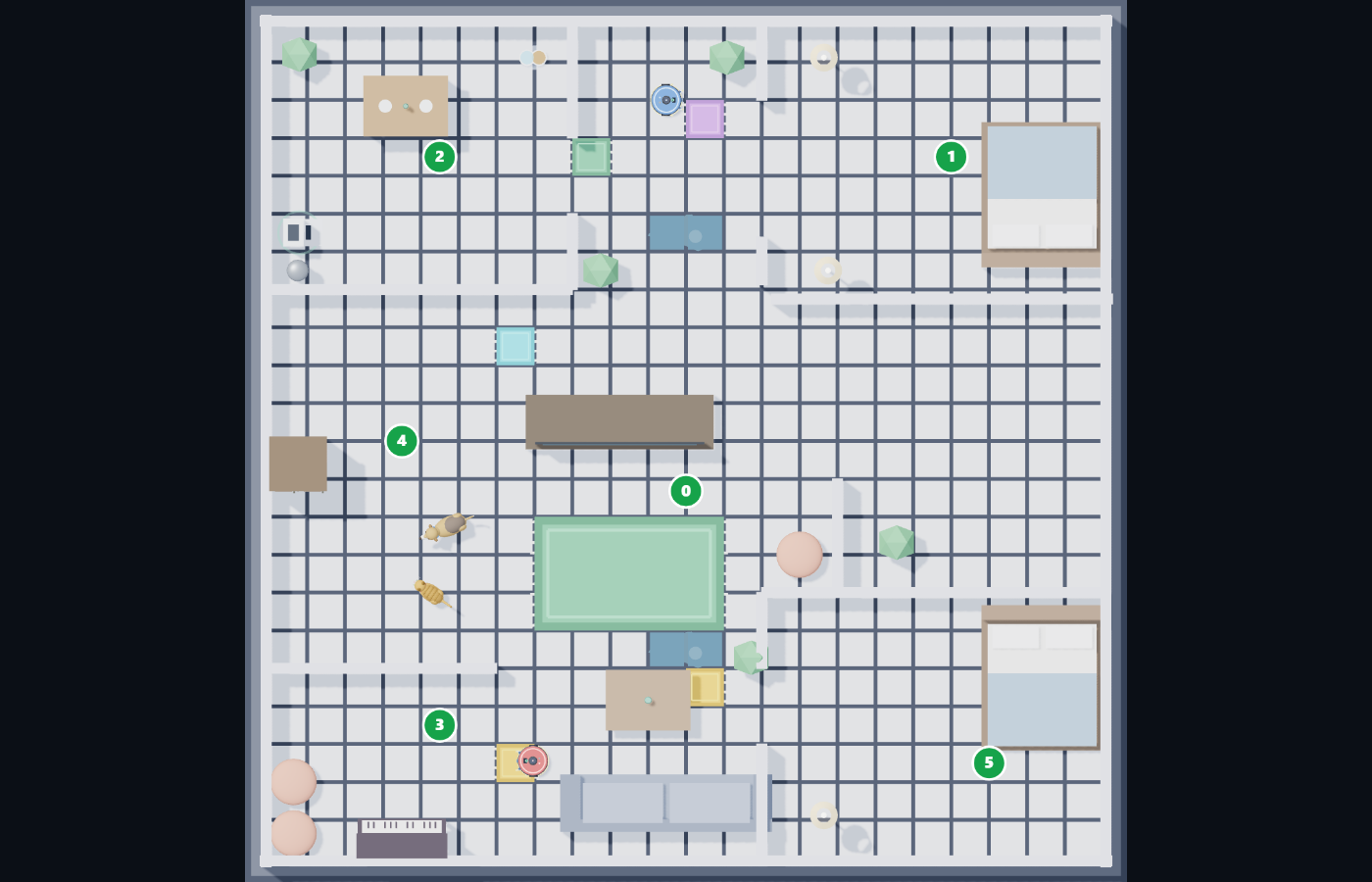
4. Run your first robot
- Open Match mode.
- Press Base code to load the starter program — it is commented line by line, in both languages, and it already drives and avoids walls.
- Press Start. Every floor tile the robot drives over turns your colour, and the score is the percentage of the house you cleaned before the clock runs out.
- Change one number in the code, run it again, and watch what happens. That loop — change, run, look — is the whole competition.
The robot is ready-made. No team builds hardware. What you build is the robot's brain: a Python program that runs ten times a second and commands the wheels.
5. Lessons, helpers and the base code
- The tutorial lives inside the app — seventeen lessons, in Persian and English,
from the first
forward()to reading sensors and writing your own functions. - The helpers build real Python for students who cannot type it yet: one asks questions, the other stacks puzzle blocks. Both hand back code you can read and edit.
- The rulebook and the lesson booklets are separate PDFs, one per division, in both languages — get them from the team area.
Before you compete
- Create your team account on the join page so an organiser can approve you and you can reach every download in one place.
- Read the rulebook — scoring, penalties and the technical interview are all in it.
- Teacher, coach or parent? The schools and coaches guide explains how to run the league in a classroom or a robotics club.
- Stuck? Ask on the Telegram channel or the league Discord.
Fair play: the code you submit must be your own. Copying another team's work is not accepted, and the organisers' decisions on such matters are final.
Frequently asked questions
What do we need to install?
Nothing. The app is one file and contains everything — the house, the robot, Python, the lessons and the helpers. Just a Windows or macOS laptop.
Windows says the file is not commonly downloaded.
That appears for any new program. Choose More info and then Run anyway.
On macOS the file will not open.
Unzip it first, then right-click → Open → Open. macOS only asks the first time.
If it still refuses, run it from Terminal with bash and the file
dragged in.
Which language do the students write?
Python. The program runs ten times a second and commands the wheels.
Do we have to build the robot?
No. The robot is ready-made in every division; you write the code and pick a colour.
What if a student has never programmed before?
First Step is made for newcomers, and the helpers inside the app turn questions or puzzle blocks into real Python. More in the vacuum robot league guide.